
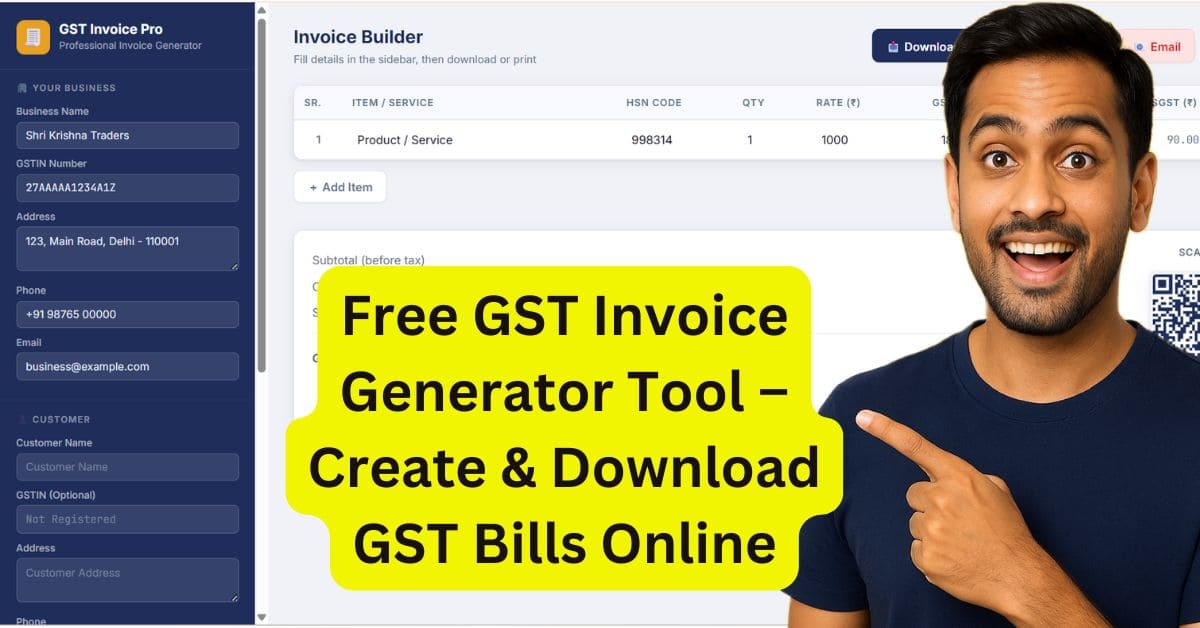
नमस्कार दोस्तों ! मेरा नाम अभीनीत विश्वकर्मा हैं | मैं लगातार तीन साल से एक्सेल पढ़ा रहा हूँ | मेरे सामने ये कई बार समस्या आयी हैं कि student और small business owner Excel या Tally Prime में manually GST Invoice बनाते हैं और इस तरीके से ज्यादा समय लगता हैं | और कभी कभी ऐसा होता हैं कि calculation में भी गलती हो जाती हैं | इसलिए मैंने आपके लिए Free GST Invoice Generator Tool बनाया हैं , जो सिर्फ कुछ सेकंड में आपके लिए professional Gst Invoice तैयार कर के दे देता हैं |
इस आर्टिकल में हम ये सीखेंगे कि Free GST Invoice Generator Tool कैसे काम करता हैं , Gst invoice में कौन कौन से details भरनी होती हैं और आप कैसे E-way Bill बना सकते हैं वह भी सीखेंगे |
अब मैं आपको बताने जा रहा हूँ कि GST invoice बनाते वक्त किन details की सबसे ज्यादा जरूरत पड़ती हैं |
- Business Details : यहाँ आपको Gstin number , business name और address भरना होता हैं बिना इस details के आपकी जानकारी अधूरी मानी जाती हैं |
- Customer Details : इस section में आपको customer name , costmer का gst number ( यदि customer के पास उसके business का gst number है तो लीजिये , नहीं हैं तो मत लीजिये ) और customer का address लेना जरुरी होता हैं |
- GST Type : यह field इतना important इसलिए हैं क्योंकि बिना gst rate के आप tax invoice बना नहीं सकते हैं | gst चार प्रकार के होते हैं | CGST ,SGST ,UTGST , IGST
- HSN/SAC Code : कोड बताता हैं कि product या service की पहचान | हर एक वस्तु या सर्विस की यूनिक code होती हैं |
- GST Rate : product category के हिसाब से बाटी गयी हैं जिनके निम्न प्रकार हैं 5 %, 12 %,18% और 28 % और इन्ही से GST calculation किया जाता हैं |
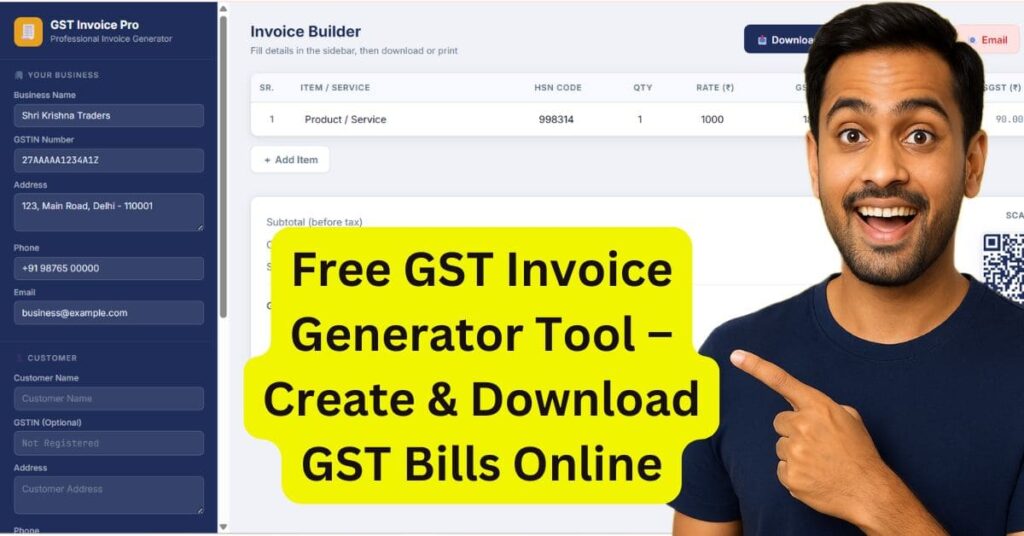
यदि आप एक्सेल ब्लॉग पढना पसंद करते हैं तो GST Invoice Generater tool को यूज़ करने से पहले gst के बारें में अच्छे से जान लें | मैन्युअल कैलकुलेशन एक्सेल में कैसे होता हैं ? gst के कितने प्रकार होते हैं ? customer डिटेल्स कैसे भरते हैं इत्यादि | इस ब्लॉग को जरुर पढ़ें | नीचे लिंक दिया गया हैं |
GST Invoice kaise Banaye Step-by-step
GST Invoice Generator Tool Features
अब मैं आपको बताने जा रहा हूँ GST Invoice Generator Tool की कुछ खाश बाते जो manual inovice बनाने से क्यों अलग हैं ? और ये क्यों इतना अच्छा हैं ?
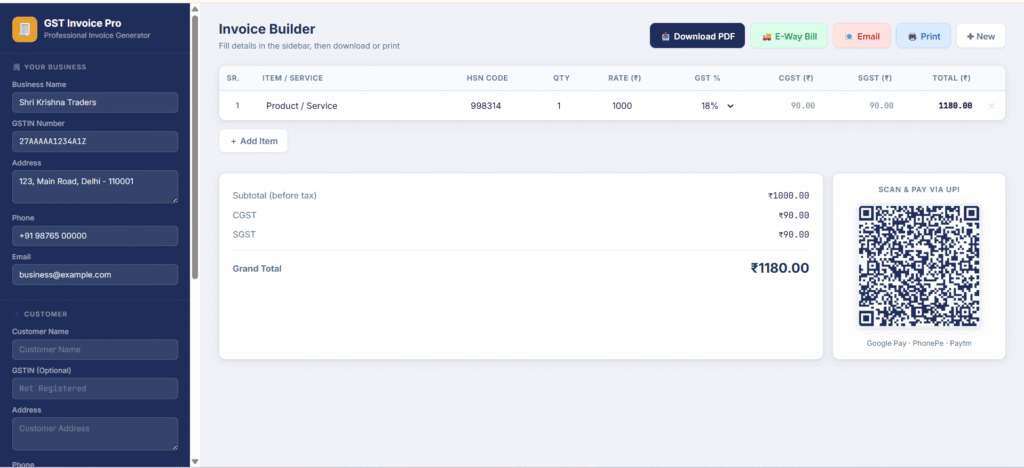
- Automatic GST Calculation : यहाँ आप सिर्फ GST Rate select करें जैसे 5 %, 12 %,18% और 28 % में से कोई एक , उस GST Rate के हिसाब से automatic calculate करके देंगा |
- Professional Invoice Format : यहाँ आपको एक professional invoice format मिलेंगा | जो कि business के हिसाब से neat और clean रहेंगा जिसे आप अपने customer को भेज सकते हैं |
- PDF Download + Email : यहाँ आप pdf download कर सकते हैं | या तो अपने customer को email पर invoice भेज सकते हैं |
- E-Way Bill Generation : इस टूल की खास बात ये भी हैं की ये टूल E-way bill generate करता हैं | इसे आप pdf format में रख सकते हैं |
- UPI QR Code : इस टूल में ये सुविधा हैं कि आपका कस्टमर आपको QR कोड के जरिये payment कर सकता हैं | बस यहाँ आपको अपना UPI ID डालना हैं और payment के लिए QR code generate हो जायेंगा |
- Mobile-Friendly : यह GST INVOICE GENERATOR TOOL मोबाइल फ्रेंडली हैं | यह तीनों डिवाइस मोबाइल , लैपटॉप , और टेबलेट में सपोर्ट करता हैं |
How To Use Free GST Invoice Generator Tool
अब मैं आपको बताने जा रहा हूँ GST Invoice Generator Tool बनाने के लिए किन स्टेप्स को फ़ॉलो करने से जल्दी इनवॉइस बना सकते हैं |
Step 1: Business details भरें |
सबसे पहले आप अपना business name ,GSTIN Number,Address,Phone No या Mobile No ,Email भरें |
Step 2: Customer information भरें |
आप अपने Customer Name,GSTIN Number ,Address,Phone No या Mobile No ,Email भरें |
Step 3: Invoice Settings भरें |
इसमें आप Invoice No. भरें , Date भरें , GST type choose करें जैसे (CGST+SGST ,IGST ,UTGST),Transport choose करें (जैसे Road,Rail,Ship ,Air), Vehicle No. भरें |
Step 4 : UPI Payment QR भरें |
आप अपना UPI ID जैसे ही भरेंगे वैसे ही QR code बन के आ जायेंगा |
Step 5 : Product/service details भरें |
यहाँ आप Product/service details भरेंगे | जैसे product name ,HSN code , Quantity ,Rate
Step 6: GST rate भरें |
आप gst रेट को select करें जैसे 5 %,12 %,18 %,28 % | select करते ही टैक्स calculate हो के आ जायेंगा |
Step 7 : Print पर click करें |
यहाँ आपका Gst Invoice Print हो के आ जायेंगा |
Step 8 : PDF download करे |
यदि आप GST Invoice download करना चाहते हैं तो download pdf पर क्लिक करें |
Step 9: E-Way Bill PDF download करे |
यदि आप आप E-Way Bill चाहते हैं तो E-Way Bill पर click करें | यह pdf में download हो के आयेंगा |
Step 10: Email करे |
यदि आप अपने GST Invoice Bill अपने customer को भेजना चाहते हैं तो Email पर click करें |
Step 11:New पर click करे |
यदि आप फिर से GST Invoice Create करना चाहते हैं तो आप New Button पर क्लिक करें |
GST Rates कैसे चुने ?
अब मैं आपको बताने जा रहा हूँ कि आप GST Rates को कैसे चुन सकते हैं ? क्योंकि Gst Rate चुनते वक्त लोग गलतिया कर देते हैं | और ये गलतियां ना करें इसलिए मैं यहाँ आपको gst rate कैसे लगता हैं वह बताऊंगा |
| GST Rates | किस प्रकार के वस्तु / सर्विस( product/ service ) शामिल हैं |
| 5% | बेसिक जरूरतों के लिए जैसे packaged food items | |
| 12% | Processed foods के लिए | |
| 18% | ज्यादातर सर्विस सामानों के लिए | |
| 28% | Luxury आइटम के लिए जैसे कार | |
FAQ – Free GST Invoice Generator Tool
क्या GST Invoice Generator Tool फ़्री हैं ?
हाँ,GST Invoice Generator Tool फ़्री हैं | इसके लिए कोई login या signup करने की आवश्यकता नहीं हैं | इसे आप directly use में ले सकते हैं | सिर्फ यहाँ आपको business details भरनी होती हैं |
क्या Gst आटोमेटिक calculate होता हैं ?
हाँ , Gst आटोमेटिक calculate होता हैं | यहाँ आपको सिर्फ product के हिसाब से उनका gst rate select करना हैं , cgst ,sgst या igst खुद calculate कर के दे देता हैं |
क्या मैं GST Invoice को customer को directly email कर सकता हूँ?
हाँ, GST Invoice Generator Tool में invoice generate होने के बाद आप उसे directly Email button से customer को भेज सकते हैं, या PDF download करके WhatsApp से भी share कर सकते हैं।
क्या ये tool E-Way Bill भी बनाता है?
हाँ, ये tool E-Way Bill भी बनाता हैं | आप इसे एक क्लिक में डाउनलोड करके अपने कस्टमर को भेज सकते हैं | इसकी लिमिट 15 दिन की हैं |